
Website examples
Website examples you can open and try out
Here are eight demo websites I built for different industries. Each one works like a real website: you can filter properties, book a dentist appointment, send an enquiry for a room or add coffee to the cart.
Eight demo websites, each in its own style
Pick an industry or open any demo. On a computer, hover over a card to see more of the page. The demos are in Croatian.
-
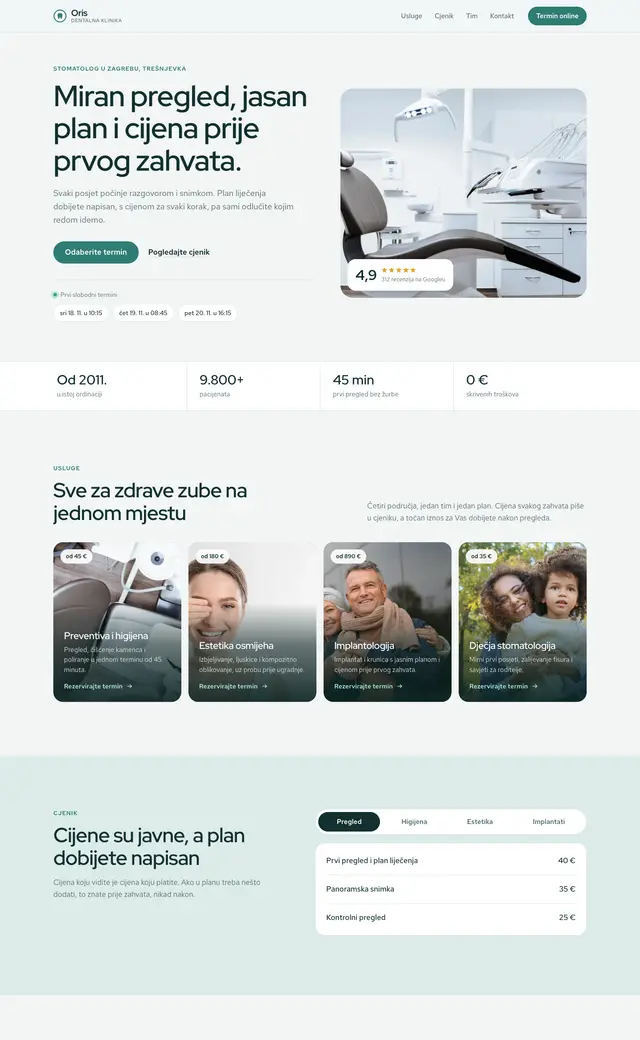 Clinic
Dental clinic
At the top of the pageA calm homepage with free slots this week and patient ratings right next to the booking button. Further downA tabbed price list, the dentist team, reviews and booking in four steps. Open the demo -
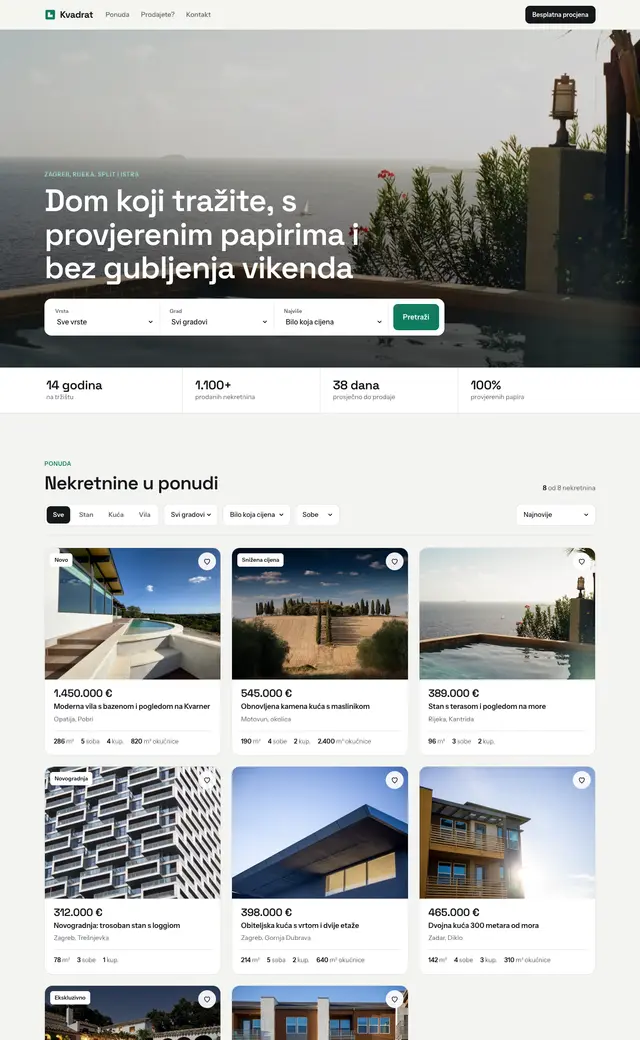 Real estate
 agency
At the top of the pageThe search on the homepage filters listings by type, city, price and rooms right away. Further downListings you can save with a heart, a page for every property with a gallery, a mortgage calculator and a viewing form. Open the demo -
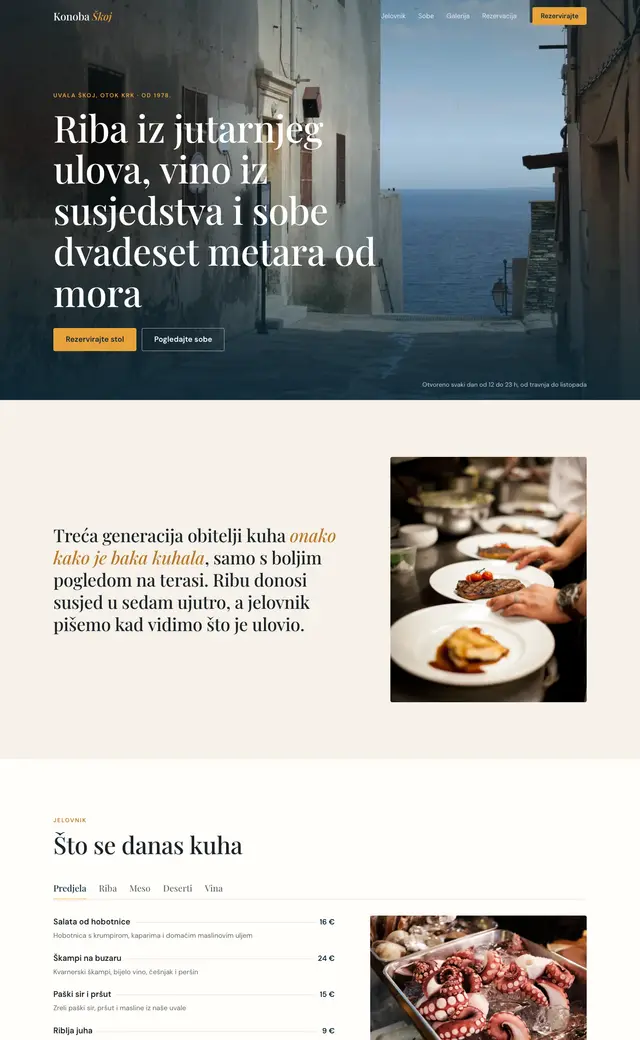 Tourism
Restaurant with rooms
At the top of the pageA full screen photo of the bay and a button to book a table or a room. Further downA tabbed menu with prices, rooms with nightly rates, a gallery and an enquiry form for a table or a stay. Open the demo -
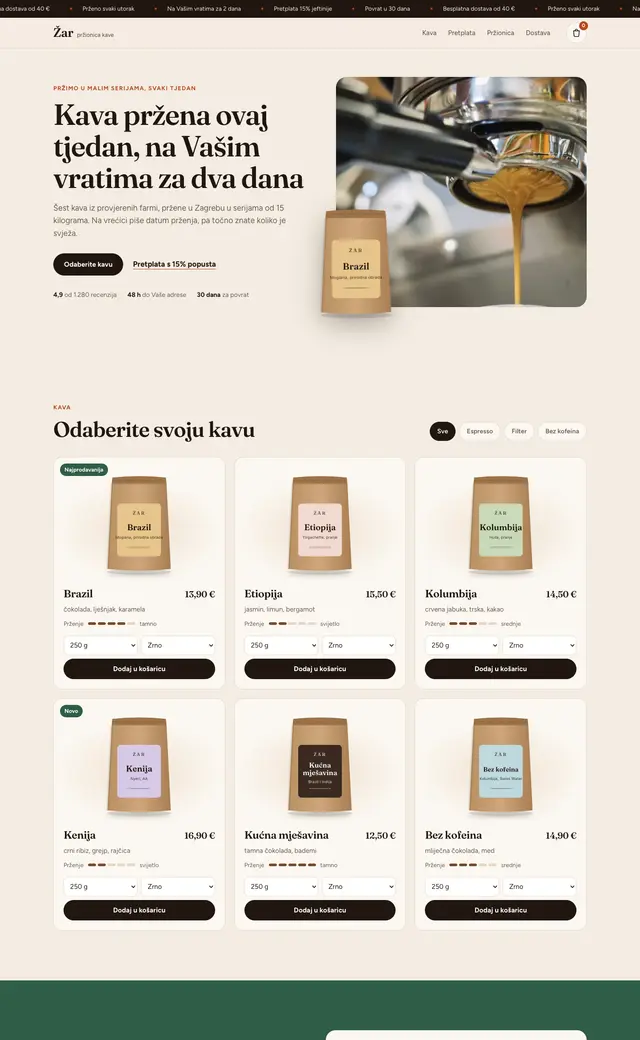 Web shop
At the top of the pageA coffee roaster with a clear offer on the first screen and the cart always within reach. Further downProducts with a filter, grind and size options, a cart with a free shipping bar and a subscription calculator. Open the demo -
 Scroll animation
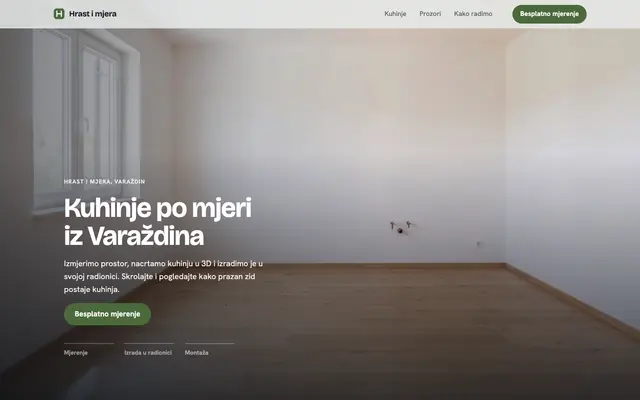
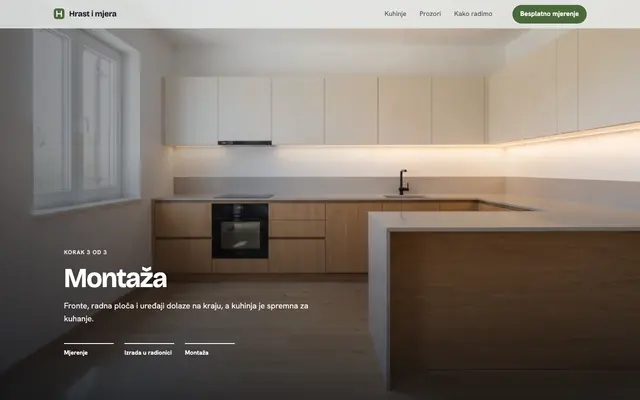
Custom kitchens and PVC joinery
At the top of the pageAn empty room turns into a finished kitchen as you scroll, one cabinet at a time. Further downA window profile that comes apart and back together, a kitchen floor plan and a sideways gallery of work. Open the demo -
 Scroll animation
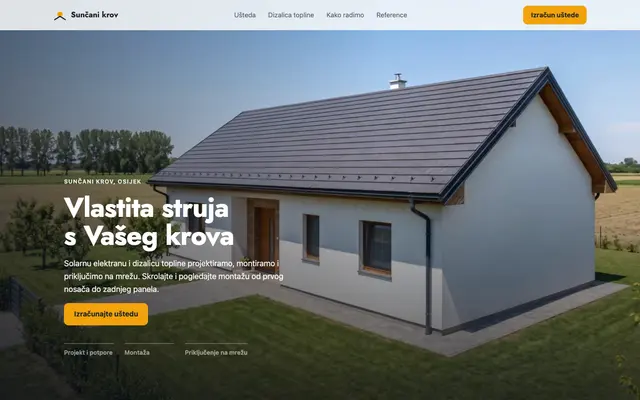
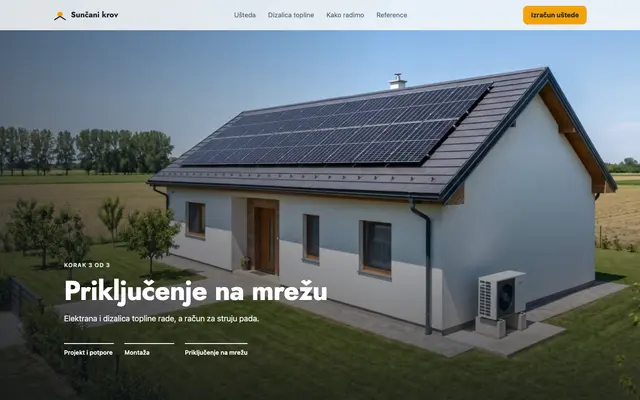
Solar power and heat pumps
At the top of the pageMounts and panels settle onto the roof of a family house, and a heat pump appears beside it. Further downAn electricity bill chart that drops as you scroll, a cross section of the house with the heat pump and a savings calculator. Open the demo -
 Scroll animation
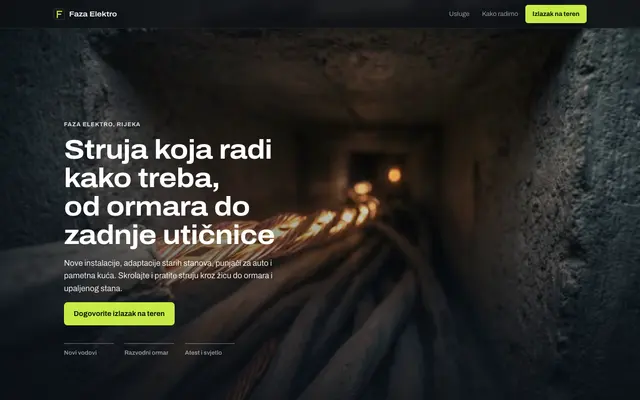
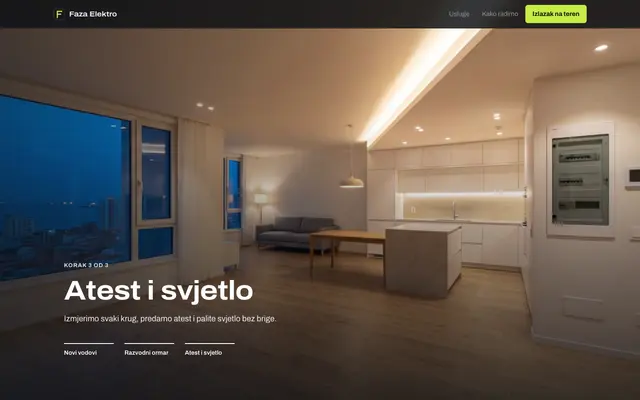
Electrical installations
At the top of the pageThe camera travels along a cable inside the wall to the fuse box, then pulls back to a lit flat. Further downA fuse box, a cross section of the house with wiring to every room and steps that fill up like a cable. Open the demo -
 Scroll animation
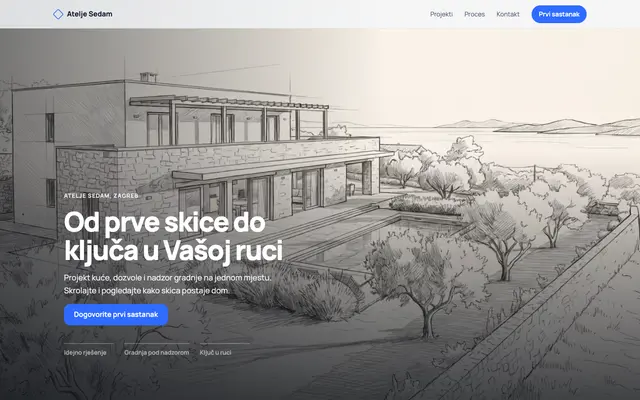
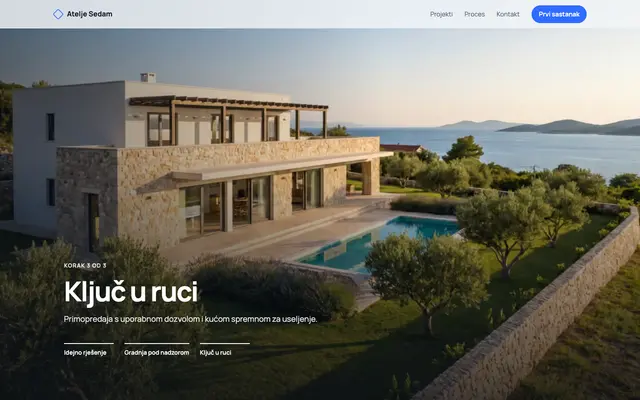
Architecture studio
At the top of the pageA pencil sketch turns into a finished family villa with a pool. Further downA floor plan that draws itself as you scroll, a sideways gallery of projects and the steps from idea to keys. Open the demo
How your website is made
I build every website in four steps, from plan to launch.
-
Plan and copy
We agree on the pages and the goal of the site, and I write copy that answers your customers' questions and leads them to an enquiry.
-
A style for your industry
Every website gets its own colours, fonts and rhythm. A clinic needs calm and trust, a web shop clear prices and a quick cart, and a restaurant photos that make you hungry.
-
Build
I build what your customers actually use: property filters, appointment booking, a room enquiry, a cart or a scroll animation at the top.
-
Checks and launch
Before launch I test the page on a computer, a phone and a slow connection, and set up SEO foundations and tracking for every enquiry.
What you get with every website
The design is what visitors see first. Underneath it is a website that brings in enquiries from day one.
- A fast page The website is static HTML with images in a modern format, so it opens in a second, even on mobile data.
- Copy Google can read All the text is plain HTML with tidy headings and schema, so Google and AI search tools read it without obstacles.
- Built for phones first Most visitors come from a phone, so the buttons are big enough and the forms are short and clear.
- Enquiry tracking Every call and every form is recorded from day one, so you know how many enquiries the website brings in.
Scroll animation or a classic website
Four of the demos have a scroll animation: the image at the top changes as the visitor scrolls, so they drive the story from the first step to the finished result. On a phone the image plays by itself, and visitors who have animations turned off see the final frame straight away.
An animation does the most when a customer struggles to picture the result before they see it: a kitchen, a roof with solar panels, new wiring or a house. A customer comparing three quotes remembers the website that showed them their result, and calls that one first.
A clinic, a real estate agency, a restaurant and a web shop need visitors to find an appointment, a property, a room or a product quickly and send an enquiry. That's why those demos are classic websites with clear steps, and their animations are small and follow what the visitor does.
Frequently asked questions.
Are these real businesses?
No. The businesses, prices and reviews on the demo websites are made up, and the photos come from free stock libraries. The demos show how a website for your industry could look and work.
Can my website look like this?
Yes. Every demo is built with the same tools I use for client websites, and for yours I adapt the copy, photos and colours to your business and your customers.
Can my website take bookings or run a web shop?
Yes. The dentist demo shows appointment booking, the restaurant a table and room enquiry, and the web shop a cart. On your website enquiries arrive in your inbox, and I connect bookings and payments to the tool you already use.
Does a scroll animation slow the page down?
Not when it's built well. The text and one image load first, and the animation frames arrive gradually after the page has opened, so visitors can read and scroll straight away.
Can Google read the text on a page with an animation?
Yes. All the text on the page is plain HTML that loads right away, and the animation is an image behind the text, so Google and AI search tools read the page like any other.
Let's see what your website could look like.
On a free 30 minute call I look at your current website and suggest the style and sections that get your customers to an enquiry fastest.
A few questions before your free strategy call
Step 1 of 8
One last step: pick a time.
The free strategy call takes 30 minutes. Choose a time that suits you in the calendar below.